Best Free Google Review Link Generators in 2027 (7 Tools Compared)
Keyan Enayati
SEO & Data Analytics Consultant
Most of the local businesses I work with have the same problem with reviews. Their customers are happy, they say they’ll leave a review, and then they never do. Usually it isn’t because they changed their mind. It’s because finding the review box on Google takes too many taps.
A Google review link fixes that. It opens the “write a review” box for your business straight away, so the customer just picks a star rating and types. I set these up for clients all the time, and over the years I’ve used every tool on this list to do it.
They all make the link for free. What separates them is what you get alongside it, what you have to type in to get there, and what catch comes with it. Here’s how they compare from actually using them.
Quick answer: the one I use and recommend is the Axarez Google review link generator. You get the link, a QR code, a printable counter card and ready-to-send WhatsApp, text and email messages, with no sign-up and nothing stored.
The 7 best free Google review link generators compared
| Tool | What you enter | What you get | Catch |
|---|---|---|---|
| 1. Axarez | Google Maps link, share.google link, g.page link or Place ID | Review link, QR code, printable card, WhatsApp/text/email messages, Place ID | None. No sign-up, nothing stored |
| 2. Google Business Profile | Nothing, it’s built in | Short review link and QR code | You must manage the profile. QR only on a computer |
| 3. Whitespark | Business name search | Short review link and QR code | Page is a lead-in to their paid rank tracker |
| 4. BrightLocal | Business name or address | Review link, Place ID, Ludocid and FID codes | 10 searches a day |
| 5. Semrush | Business name | Review link and sharing tips | Link only, no print assets |
| 6. Elmob.ai | Business name, or Maps link / Place ID | Review link and SMS templates | Email needed for extra runs. QR is a separate tool |
| 7. GatherUp extension | Your listing, opened in Chrome | Review link from the browser | Desktop Chrome only |
1. Axarez: best free Google review link generator overall
This is the one I reach for now. With the other tools, I’d make the link in one place, a QR code somewhere else, then write the WhatsApp message myself. The Axarez free Google review link generator does all of that in one go: the direct review link, a QR code, a printable card for the counter, and messages ready for WhatsApp, text and email.
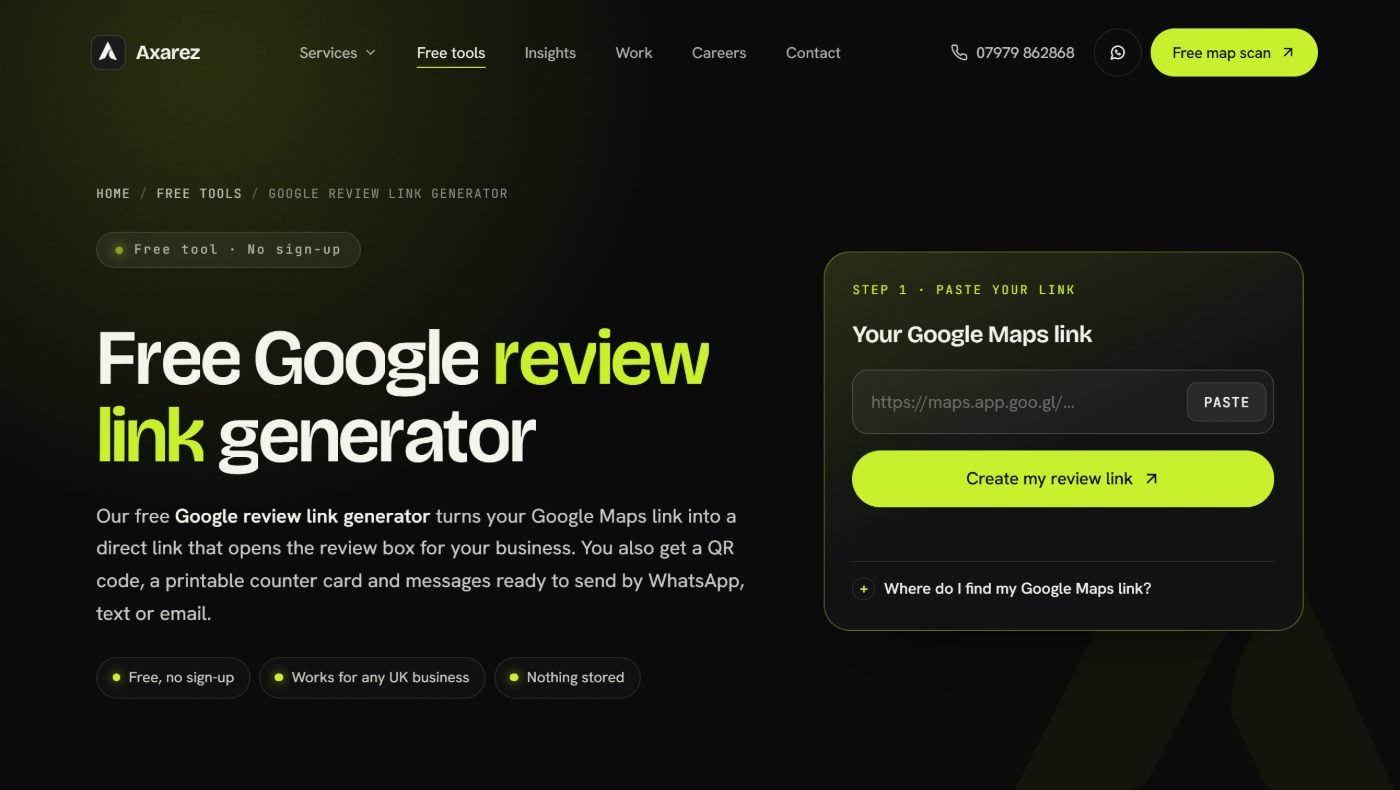
What I like most is that it takes whatever link the client sends me. Business owners rarely send a clean Maps link. I get share.google links copied from Google Search, g.page links from their profile, and sometimes just a Place ID. Tools built around a name search don’t take those. This one does, and the “test your link” button lets me check the right review box opens before anything goes to print.
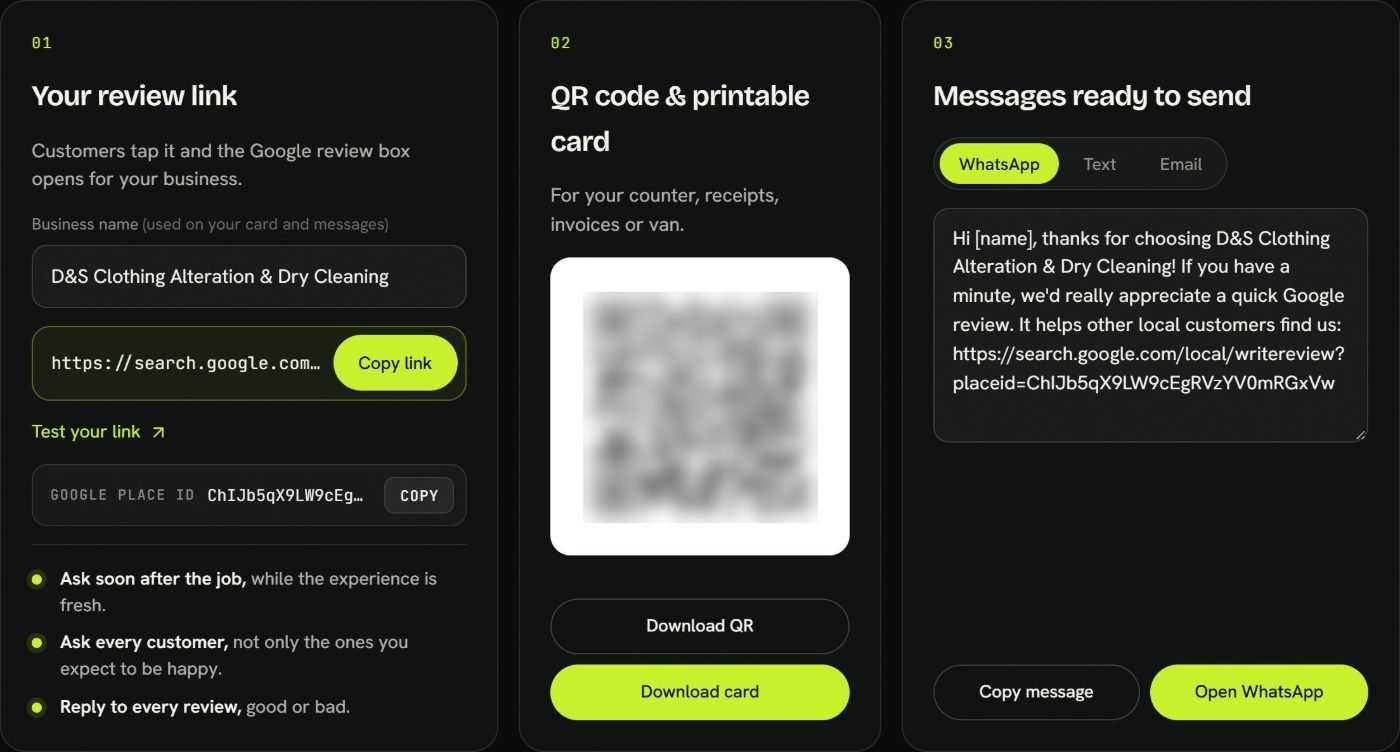
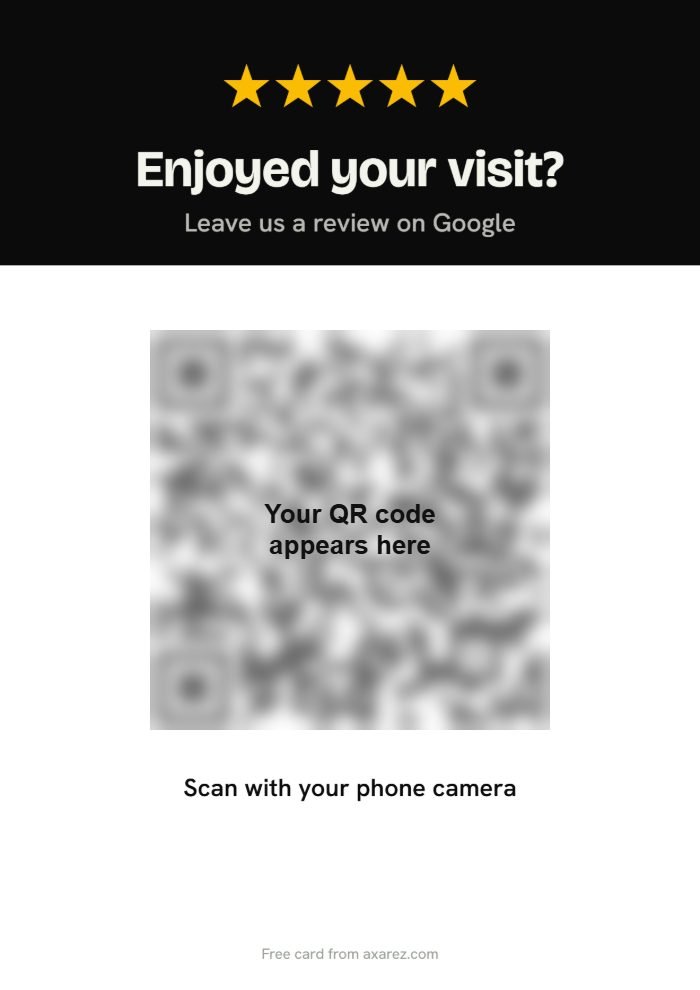
Below is the kit I made for a dry cleaning client. The owner copied the WhatsApp message, printed the card for the counter, and that was the setup done.
Why it ranks first:
- Most complete free kit. It’s the only tool here that gives you the link, QR code, printable card and written messages together.
- Takes any link you have. Maps, share.google, g.page or Place ID, so you don’t get stuck at step one.
- No catch. No sign-up, no daily limit, no email gate and nothing stored.
- Built for asking, not just linking. The messages and card cover the part where most review requests fail: actually sending them.
Best for: any small business that wants everything needed to start asking for reviews today, in one place.
2. Google Business Profile (the official way)
If the owner is logged in to their Business Profile, Google will give you a review link and QR code itself. Open the profile, choose “Read reviews” then “Get more reviews”, and copy the link.
The snag I hit most often: the owner is on their phone, and Google only creates the QR code in a computer browser. It also only works if they have owner or manager access, which isn’t always the case when someone else set the profile up years ago. And you just get the link and code, no card or messages.
Best for: owners sat at a desktop who only need the bare link.
3. Whitespark
Whitespark’s generator is the one most people in local SEO know, me included. You search your business name and get a short review URL and a QR code. It’s reliable.
The page is there to introduce Whitespark’s paid rank tracker, though, so there’s a fair bit of selling around the tool. It’s also name-search only, which doesn’t help when a client’s listing is hard to find by name.
Best for: agencies already using Whitespark software.
4. BrightLocal
I still use BrightLocal’s tool, but for a different job. Alongside the review link it shows the Place ID, Ludocid and FID, the codes Google uses to identify a business. When I’m sorting out duplicate listings, those are exactly what I need.
As a review link tool it’s held back by the limit of 10 searches a day. When I’m setting up a batch of clients, I run out quickly.
Best for: SEOs who need the technical IDs, not just the link.
5. Semrush
Semrush’s free generator does what it says. Type the business name, copy the link. The advice on the page about where to share it is sensible.
But you leave with a bare link. There’s no QR code or card, so for any client with a shop counter I’d still need another tool.
Best for: people already in Semrush who just want the URL.
6. Elmob.ai
Elmob.ai has the best SMS templates of the bunch after Axarez, and they’re clearly written with trades in mind. It also has an advanced option for pasting a Maps link or Place ID.
It feels a bit stop-start, though. The QR code is on a separate page, and after a few runs it asks for your email.
Best for: plumbers, electricians and other trades who ask for reviews by text.
7. GatherUp Chrome extension
GatherUp’s extension adds a button to Chrome that builds a review link for whatever listing you’re looking at. When I’m at my desk making links for several businesses, it’s quick.
It’s no help on site with a client, because it only runs in desktop Chrome. And it’s a link builder, nothing more.
Best for: agencies making links for many businesses.
How to choose the right one
My advice to clients is to start from how you’ll ask for reviews, not from the tool.
| You ask customers… | You need | Best pick |
|---|---|---|
| By WhatsApp or text after the job | Link and a ready message | Axarez |
| At the counter or in a waiting room | Printable QR card | Axarez |
| In emails and invoices | Link only | Any tool, or Google Business Profile |
| Across many client listings | Fast link building | GatherUp or BrightLocal |
One thing most guides miss: test your printed QR codes
This is the tip I give every client who prints a QR code. Review links are built on your Google Place ID, and Google’s own developer documentation says Place IDs can change over time. It suggests refreshing any that are more than 12 months old.
A link in an email is easy to update. A QR code printed on 500 leaflets or a van wrap is not. Scan your printed codes every few months, and if one stops opening your review box, make a new one. For big print runs, I point the QR code at a page on the client’s own website that redirects to the review link. That way the destination can change without reprinting anything.
Ask for reviews without breaking the rules
I tell every client the same thing: never offer anything in return for a review. Google bans discounts, freebies and prize draws for reviews. In the UK, fake reviews and hidden paid reviews have also been illegal since April 2025 under the Digital Markets, Competition and Consumers Act 2024.
What works for my clients is simple:
- Ask every customer, not only the ones you think are happy.
- Ask soon after the job, while it’s fresh.
- Reply to every review, good or bad.
- Remember customers need a Google account to leave a review.
Reviews are one of the signals behind Google Maps rankings, but they’re not the only one. If you’d like help with the rest, have a look at my local SEO consulting in Birmingham.
FAQs
How do I create a link for Google reviews?
Open Google Maps, find your business, tap Share and copy the link. Paste it into a free Google review link generator and it returns a direct link that opens your review box. If you manage your Business Profile, you can also copy a link from “Get more reviews”.
How do I get a Google review link without a Business Profile login?
Use a generator that works from your public Maps listing. Copy your listing’s share link from Google Maps and paste it into a tool like Axarez. You don’t need to sign in to Google Business Profile.
How can I make a QR code for Google reviews?
Create your review link first, then turn it into a QR code. Most good generators do both at once and let you download the code as an image for receipts, cards or posters.
Is a Google review link generator safe to use?
Yes, if it only asks for your public listing. A review link is just a public web address, so you should never need to share passwords. Prefer tools that don’t require sign-up or store your details.
Do Google review links expire?
Not on a set date, but they rely on your Place ID, which Google says can change over time. Test your link every few months, especially ones printed on QR codes.
Can I offer a discount for a Google review?
No. Google’s policies ban incentives for reviews, and in the UK fake or paid-for reviews are illegal under the DMCC Act 2024.
Sources