Page Insights — Chrome Extension
The first all-in-one in-page analytics Chrome extension, bringing GA4, Search Console and technical SEO into a single view — approved and published on the Chrome Web Store.
Client
Published on the Chrome Web Store
Role
Product Developer
Deliverables
Chrome Extension (Manifest V3) with Google OAuth
First all-in-one in-page analytics extension
GA4 + GSC + Technical SEO in one view
Nothing stored off-device
In my role at Aston University as a SEO & Web Analyst I had already built several dashboards so colleagues could check how their pages were performing. They worked, but non-technical colleagues still had to open a report and find the right number. They just wanted a quick answer.
So I built Page Insights: a Chrome extension that shows GA4, Search Console and technical SEO data directly on the page you are looking at. No dashboard, no switching tabs.
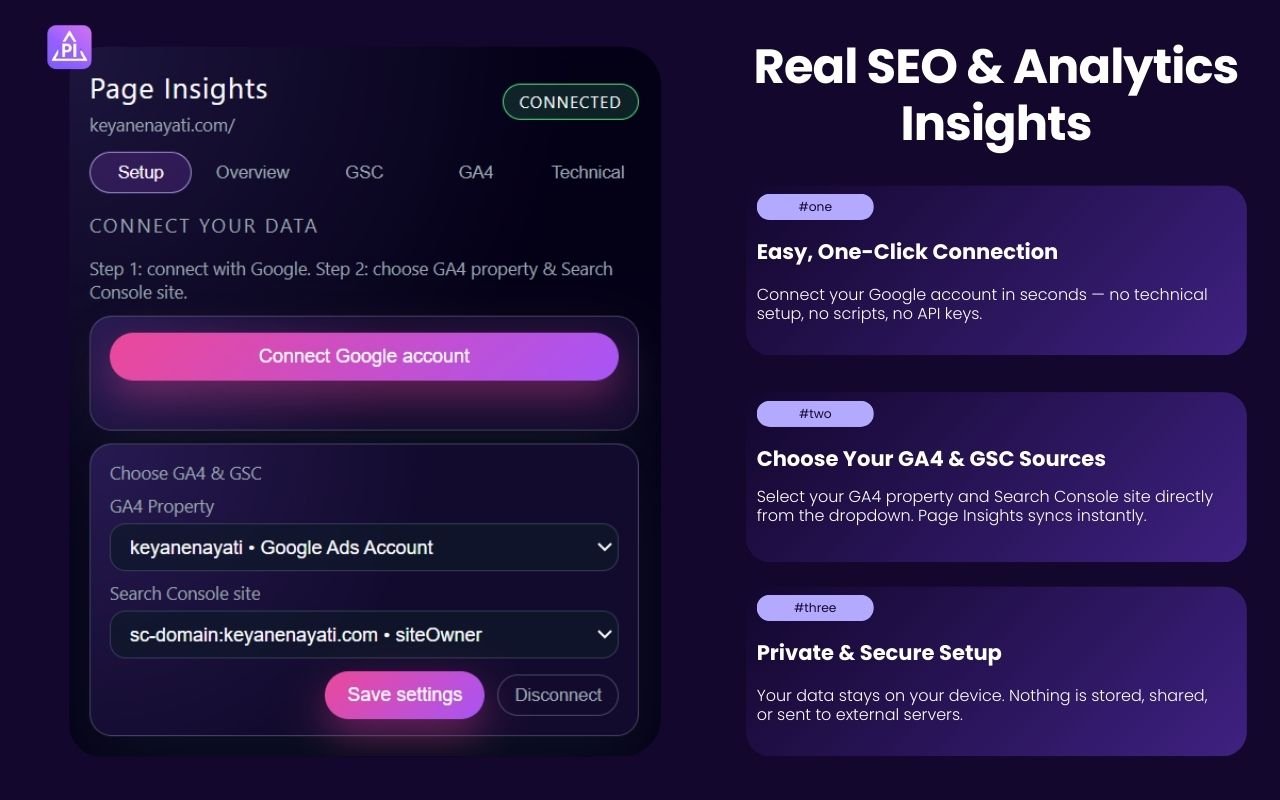
Setup
You connect your Google account once, then pick your GA4 property and Search Console site from a dropdown. That is the entire setup — no API keys, nothing technical.
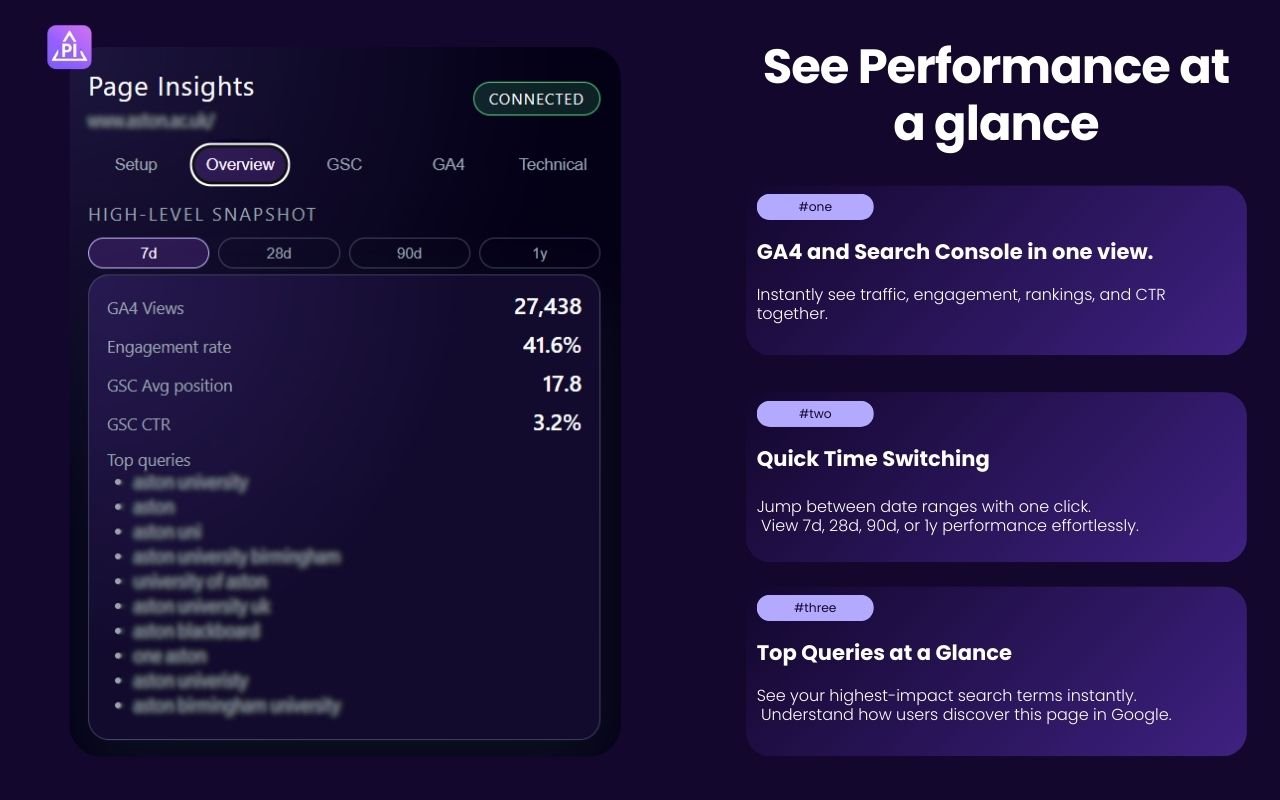
Overview tab
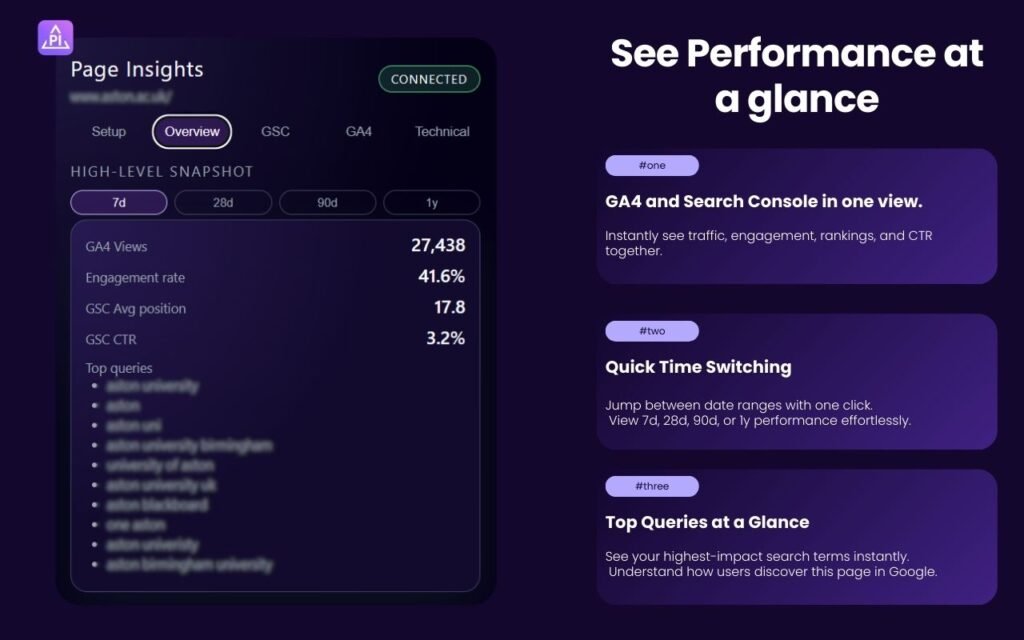
This is the first screen you see for any page: GA4 views, engagement rate, average Search Console position, CTR, and top search queries, all in one place, for the exact page you are on.
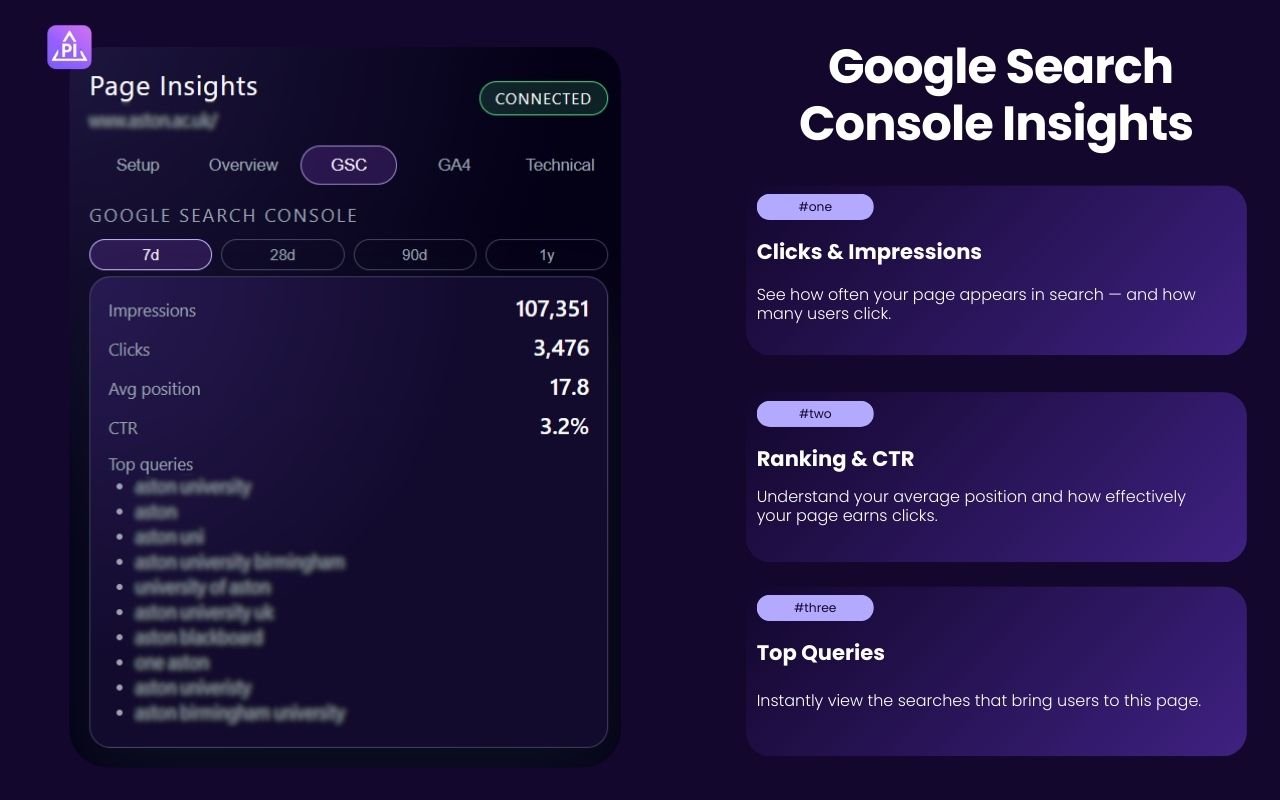
Search Console tab
For a closer look at search performance, this tab breaks out impressions, clicks, average position, and the top queries bringing people to that page.
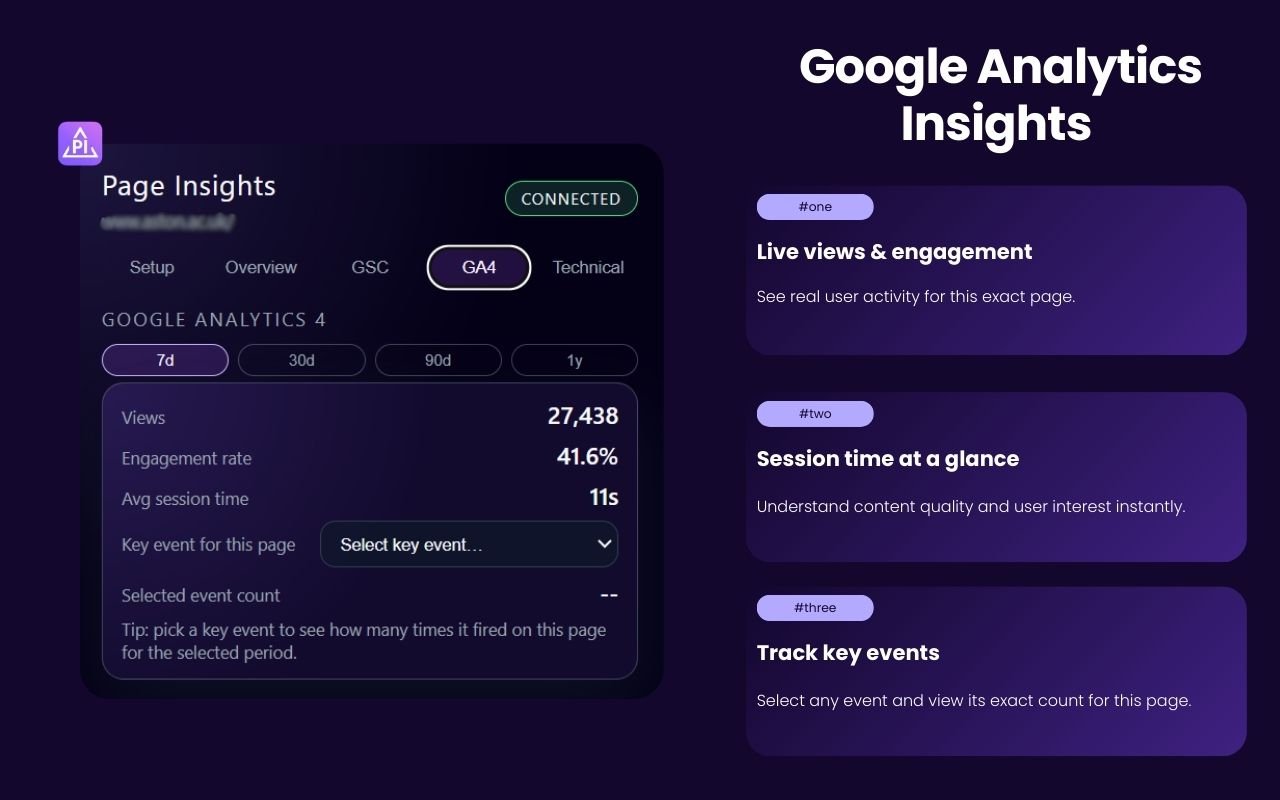
GA4 tab
This tab shows live views and engagement, average session time, and lets you pick a specific GA4 event to see exactly how many times it fired on that page.
Technical tab
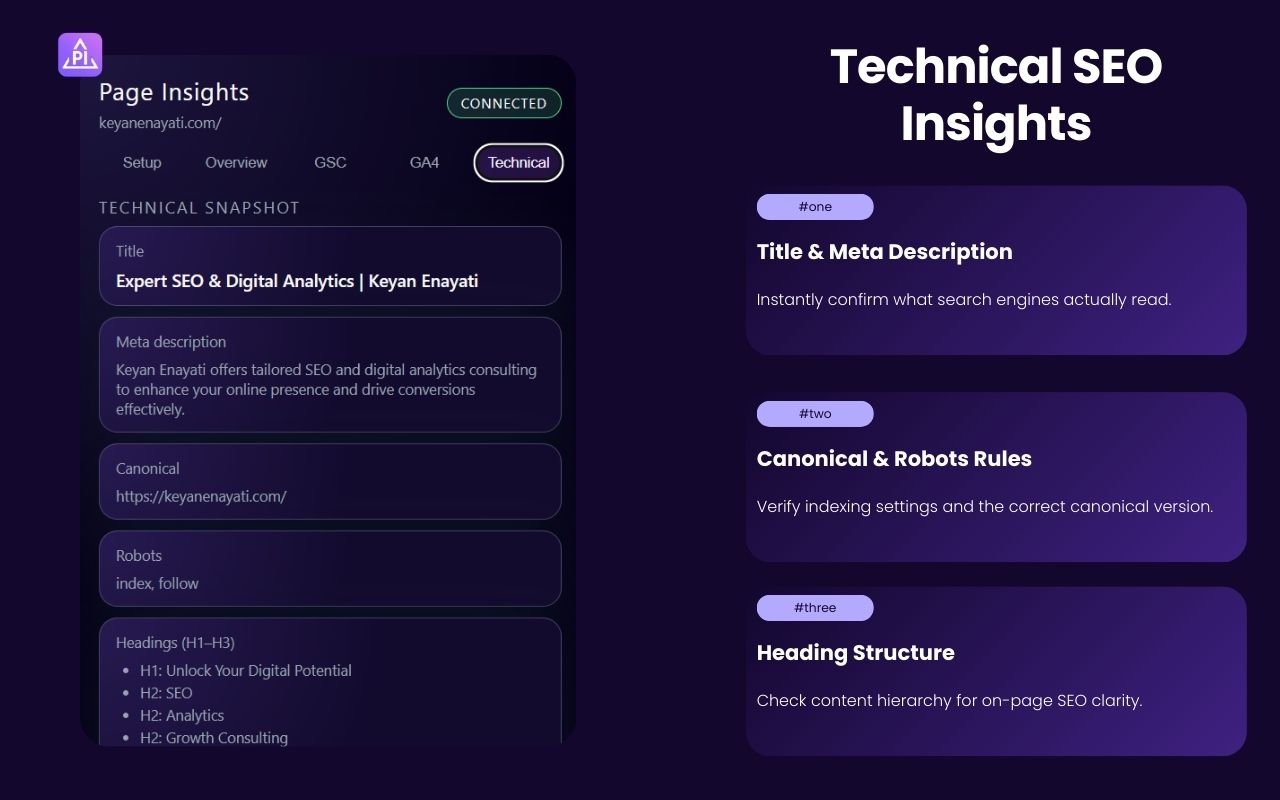
A quick technical SEO check: the page’s title, meta description, canonical URL, robots rules, and heading structure (H1 to H3) — everything you would normally need to view the page source to find.
How it is built
Everything runs in the browser. Data comes straight from Google’s APIs and stays on your device — nothing is stored or sent to an external server. That also means there is no backend to manage or secure.
Results
- Approved and published on the Chrome Web Store
- Brings GA4, Search Console and technical SEO into one in-page view
- Gives non-technical colleagues an answer in seconds, without opening a dashboard
What I learned
The biggest lesson was not technical. I had been building dashboards for people who already knew how to read dashboards. Page Insights came from listening to the people who did not, and building for a quick question instead of a full report.
Interested in a similar engagement? Get in touch — I'm available for new SEO and analytics projects.